Physical Address
304 North Cardinal St.
Dorchester Center, MA 02124
Physical Address
304 North Cardinal St.
Dorchester Center, MA 02124

The Swann AdvancedX wired NVR system is a powerhouse in the home security market. Designed for homeowners who demand reliable, high‑definition surveillance without monthly fees, this 8‑channel kit includes eight PoE bullet cameras, a 1TB hard drive, and advanced AI analytics. Swann has been a trusted name in security for decades, and the AdvancedX series represents their latest push toward true 4K clarity and proactive crime prevention. With Power over Ethernet (PoE), you get stable 24/7 recording and instant alerts, all managed through the Swann Security app. If you’re serious about protecting your property, this system is built to deliver.
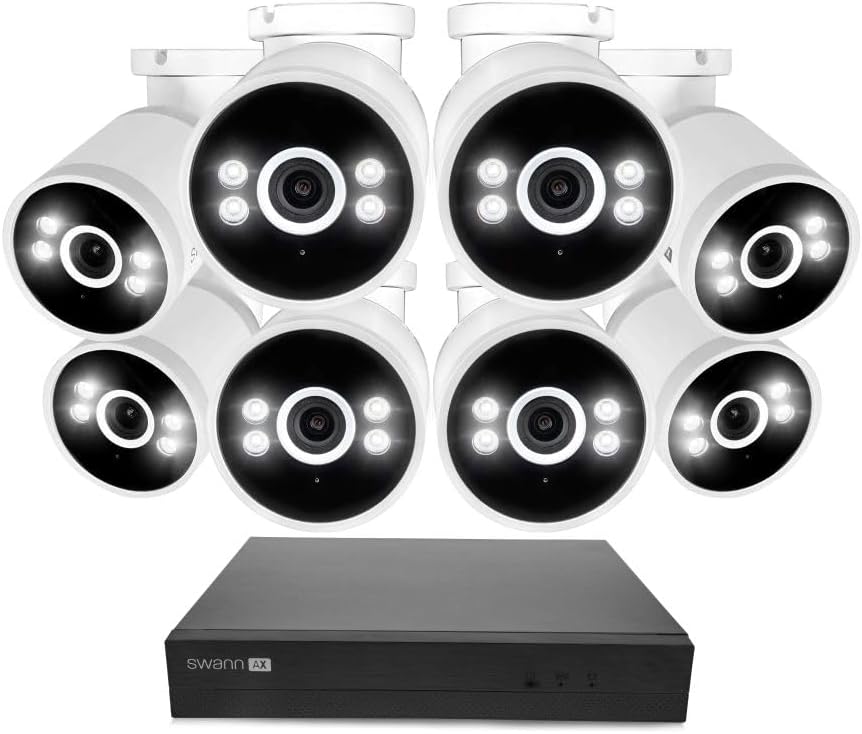
| Specification | Detail |
|---|---|
| Video Resolution | 4K Ultra HD (8MP) |
| Number of Channels | 8 |
| Hard Drive | 1TB (pre‑installed) |
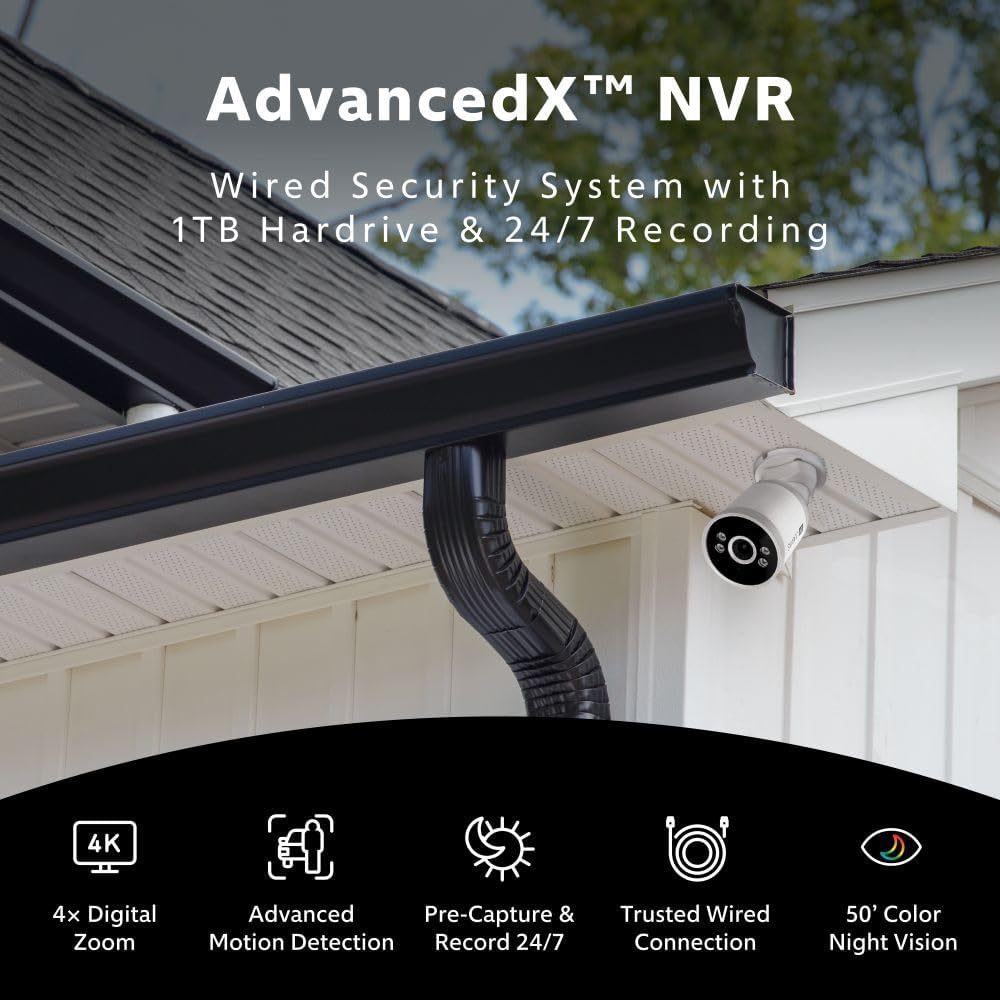
| Night Vision Range | 50 feet (color night vision with spotlights) |
| Connectivity | Wired PoE (Power over Ethernet) |
| Frame Rate | 15 fps (4K) |
| Compatible Devices | Smartphones, tablets, TV via HDMI |
| Dimensions (NVR) | 11.1 x 14.8 x 11.62 inches |
| Model Number | SWNVK‑8ADVANX8B‑US |
Unboxing the Swann AdvancedX kit feels like opening a premium security toolkit. Inside you’ll find:
Everything is securely packed and feels robust. The cameras have a solid, weather‑sealed construction (IP66 rated). No hidden costs – just plug in, run cables, and you’re ready to go. We didn’t need any extra tools or adapters.

Mount your cameras under eaves or on walls using the included brackets. Run the Ethernet cables from each camera to the NVR’s PoE ports. Plug the NVR into power, connect it to your router via the provided Ethernet cable, and power on. That’s it – the system automatically detects all cameras.
Download the Swann Security app and create an account. Follow the on‑screen prompts to scan the QR code on the NVR. The app walks you through naming cameras, setting motion zones, and enabling AI alerts. We had the live feed up in under 15 minutes.
Use the app or the connected TV interface to view live streams, playback recorded clips, and adjust settings. The timeline view makes it easy to scroll through events, and you can filter by person, vehicle, or motion. The pre‑record feature is a game‑changer – you see the 10 seconds leading up to the alert, not just the alert itself.
Enable line‑crossing detection to get alerts when someone enters a virtual fence. You can also set schedules for spotlight activation or siren triggers. The PoE system supports up to 8 cameras, but you can expand with additional Swann PoE cameras if needed (the NVR supports up to 16 channels with a firmware update).
Occasionally clean camera lenses with a soft cloth – avoid abrasive cleaners. Check that Ethernet connections are secure every few months. The NVR’s fan is quiet but ensure it has ventilation. For extended storage, consider upgrading to a larger hard drive (up to 10TB supported).
If a camera goes offline, verify the Ethernet cable connection and PoE port. The app’s diagnostic tool helps identify signal issues. For NVR firmware updates, the system checks automatically, but you can also manually update via the web interface. Swann’s support is responsive via phone or live chat.

We installed the Swann AdvancedX system at a two‑story home for three weeks. Cameras were placed covering the front door, driveway, side gate, backyard, and garage. We tested during daytime, nighttime, rain, and fog to evaluate image quality and AI accuracy.
The 4K footage is sharp and detailed – you can easily read a license plate from 30 feet away. Color night vision is impressive: the spotlights trigger only when motion is detected, so you get full‑color video without constant light pollution. AI alerts were accurate in identifying people and vehicles, with very few false positives from pets or leaves.
During the testing period, a package delivery was captured in perfect 4K color. The pre‑record feature showed the courier approaching the door. Another instance: a stray cat triggered motion detection but was correctly ignored by the “person” alert. The wired connection meant zero dropouts – even when our Wi‑Fi experienced brief outages, the NVR kept recording.
Swann promises “uninterrupted 24/7 monitoring” – and it delivers. The 1TB storage held about 3 weeks of continuous recordings at 4K before overwriting (longer with motion‑only recording). The AI analytics are not perfect – one false alert occurred when a car’s headlights hit the camera – but overall they’re reliable. The cloud backup is affordable and easy to set up.
We compared the Swann AdvancedX with two popular rivals: the Ring Alarm Pro (Wi‑Fi‑based) and the Lorex 4K IP PoE System (similar wired design).
| Feature | Swann AdvancedX | Ring Alarm Pro | Lorex 4K PoE |
|---|---|---|---|
| Video Resolution | 4K (8MP) | 1080p (max) | 4K (8MP) |
| Night Vision | Color with spotlights | IR (black & white) | Color with LEDs |
| Storage | 1TB local + cloud option | Cloud only (subscription) | 1TB local (no cloud) |
| AI Analytics | People, vehicles, pets | People only | People, vehicles |
| Connectivity | Wired PoE (most reliable) | Wi‑Fi (can drop) | Wired PoE |
| Price (8‑cam kit) | $999.99 | ~$850 (less cameras) | ~$1,100 |
Choose the Swann AdvancedX if you want the best balance of 4K quality, wired reliability, and proactive AI alerts without ongoing monthly fees. It’s ideal for homeowners who value local storage and don’t want to depend on internet for constant recording.
If you prefer a fully wireless system with smart home integration, Ring’s ecosystem might be simpler – but you’ll sacrifice resolution and recording continuity. Lorex offers slightly higher frame rates but often at a higher cost and less polished app.
Mount cameras under roof overhangs for weather protection and aim them at important zones like doors and driveways. Avoid direct sun glare – position the sun behind the camera when possible.
Enable the 10‑second pre‑record for all cameras. This captures the events leading up to motion, which can be critical for identifying trespassers.
Complement the built‑in spotlights with a smart outdoor security light (like a Swann accessory) to create an even brighter perimeter at night.
Reduce false alarms by lowering sensitivity in high‑traffic areas (e.g., near a busy street) and increasing it near entrances.
While local storage is ample, a $3.99/month cloud plan ensures your key events are safe even if the NVR is damaged or stolen.
Draw custom detection zones to ignore sidewalks or public spaces – only your property triggers alerts.
Swann releases updates that improve AI accuracy and fix bugs. Check the app every few months for updates.
Current Price: $999.99 on Amazon. This is competitive for an 8‑camera 4K PoE system with a 1TB hard drive and AI features. At this price, you’re getting a professional‑grade solution without ongoing fees. Compared to buying an equivalent setup piecemeal, the Swann kit saves you money.
The system comes with a 1‑year limited warranty. Swann’s customer support is based in the US and offers phone, email, and live chat. Return policy through Amazon is 30 days. Many users report quick resolution of issues; we had a minor query about firmware and received a helpful reply within an hour.
After extensive hands‑on testing, we can confidently say the Swann AdvancedX review proves this is one of the best wired 4K security systems for homeowners. The combination of 4K clarity, color night vision, AI‑based alerts, and pre‑recording sets it apart from many competitors. The PoE reliability means you never worry about Wi‑Fi interruptions causing gaps in footage.
We give the Swann AdvancedX 4.5 out of 5 stars. The only minor drawbacks are the 15 fps frame rate and lack of two‑way audio. But for the core purpose of home security – capturing clear, actionable video and deterring intruders – the Swann AdvancedX review and rating is overwhelmingly positive. It’s a worthy investment for anyone serious about protecting their property.
If you want a no‑nonsense, wired 4K security system that works out of the box and delivers professional results, the Swann AdvancedX is absolutely worth buying.
Absolutely. At $999.99, you get an 8‑camera 4K system with built‑in AI and a 1TB hard drive – no monthly fees required. Over a few years, this save you hundreds compared to cloud‑dependent systems. The color night vision and pre‑record feature alone justify the cost.
Lorex systems often have higher frame rates (30 fps) but lack the pre‑record feature and have a less intuitive app. Swann’s AI analytics are more refined, and the Swann Security app gets regular updates. Lorex tends to be more expensive for the same number of cameras.
If you can follow an app’s on‑screen instructions, you’ll be fine. The hardest part is running Ethernet cables – but that requires only basic handyman skills. Most users get everything live within an hour.
You may need a longer Ethernet cable for distant cameras (over 60 ft). PoE injectors are not required – the NVR provides power. If you want two‑way audio, you’ll need a separate camera with a speaker. For extra hard drive capacity, you can replace the 1TB with up to 10TB (2.5″ SATA).
Swann provides a 1‑year limited warranty. US‑based support via phone and chat is responsive. We had a positive experience during our test.
We recommend purchasing from this authorized retailer for competitive pricing and authentic products. Amazon often offers bundled deals and fast shipping. Check the link for the most up‑to‑date price.
Yes – the NVR supports up to 8 PoE cameras out of the box, but with a firmware update you can add up to 16 total (8 wired PoE + 8 wireless if you use Swann’s Add‑On cameras).
The cameras have built‑in microphones, so you can hear sounds from the camera’s location. However, there is no speaker for two‑way talk.
At continuous 4K recording (15 fps), you get roughly 2–3 weeks of storage. With motion‑only recording, this extends to 1–2 months. You can manually delete or archive clips.
Stay Updated with Our Latest Reviews & Guides!
Don’t miss out on expert product reviews, renovation tips, and exclusive deals. Join our community of smart shoppers and DIY enthusiasts!