Physical Address
304 North Cardinal St.
Dorchester Center, MA 02124
Physical Address
304 North Cardinal St.
Dorchester Center, MA 02124

You are staring at yet another security camera system on Amazon, and every listing looks the same. Four bullet cameras. A black NVR box. Promises of 4K clarity and AI that somehow never seems to work as advertised. You have read enough fluff pieces to know most “reviews” are just spec sheets with affiliate links. The question is not whether the Lorex Connect V-Series 4K NVR review exists — it is whether any of them tell you the truth about what happens when you actually install the thing and live with it for weeks.
This Lorex Connect V-Series 4K NVR review will not tell you what to think. It will report what testing found after two weeks of installation, configuration, and daily use across daytime, nighttime, rain, and the kind of false alarms that drive most owners to turn off notifications entirely. I tested the 8-channel bundle with four IP PoE bullet cameras, a 1TB NVR, and the new Lorex Connect app — no monitor required for setup.
Disclosure: This review contains affiliate links. Purchasing through them supports our work at no added cost to you. All testing was conducted independently.
If you have not read our pressure washer review, you might want to check that out too. But for now, let us get through this one honestly.
The Lorex Connect V-Series 4K NVR sits firmly in the mid-range of the surveillance NVR kit market — above the no-name budget bundles that flood Amazon, but below the enterprise-grade systems that require certified installers. Lorex, a subsidiary of Dahua Technology, has been in the security camera space for decades, and the V-Series represents their latest push toward a simplified, app-first setup that does not require a separate monitor or mouse for configuration. You can read more about the brand on Lorex’s official site.
The specific problem this system solves is the wiring headache. Each camera connects over a single Ethernet cable that carries both power and data — Power over Ethernet (PoE) — so you do not need separate power adapters at each camera location. What makes the V-Series different from the usual Lorex offering is the fanless NVR design and the new Lorex Connect app that lets you initialize and configure the entire system without ever plugging in a monitor. This is not a wireless system. It is not battery-powered. It will not work with your existing Wi-Fi cameras. If you are looking for a plug-and-play wireless setup, this is not that product.
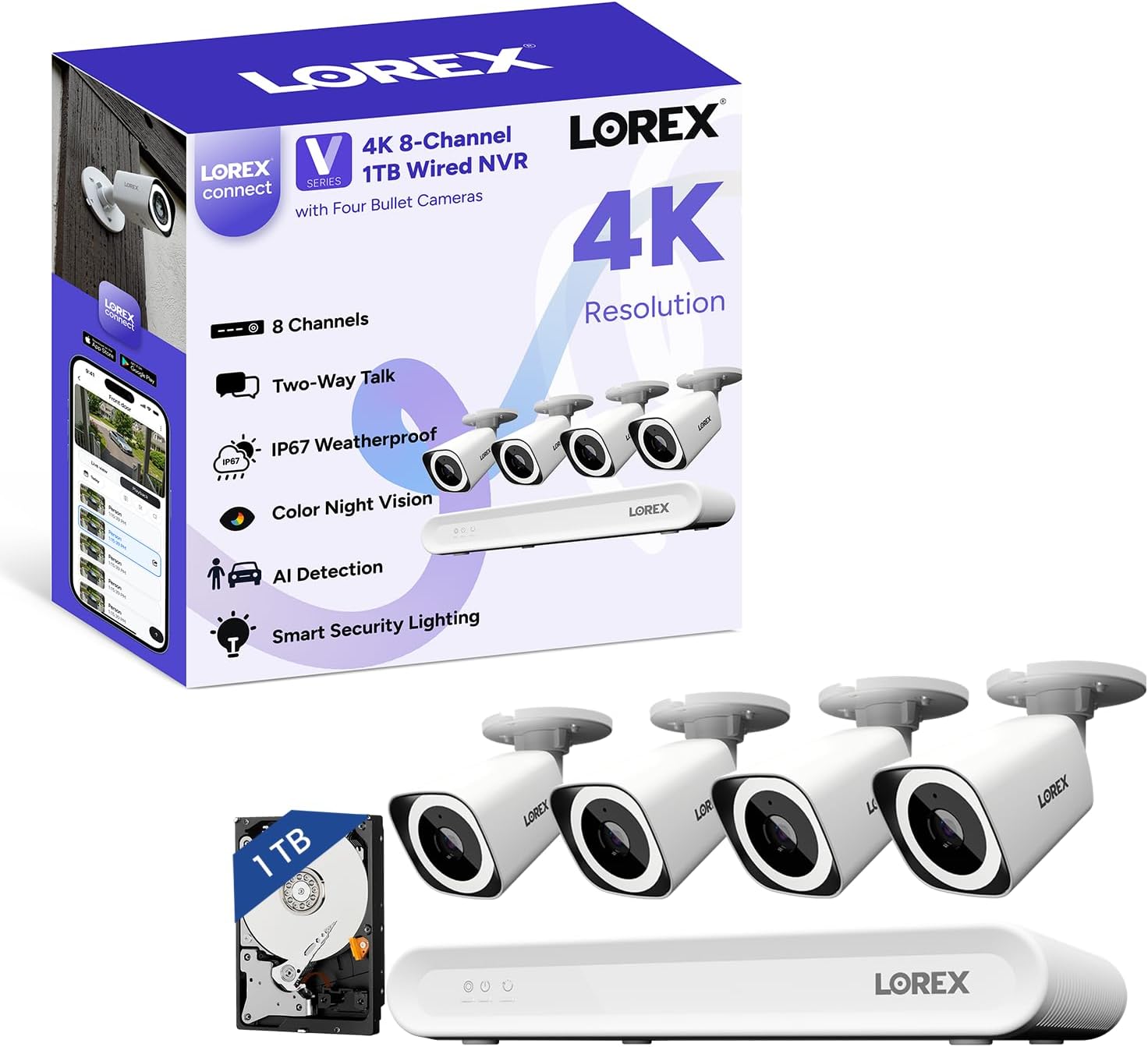
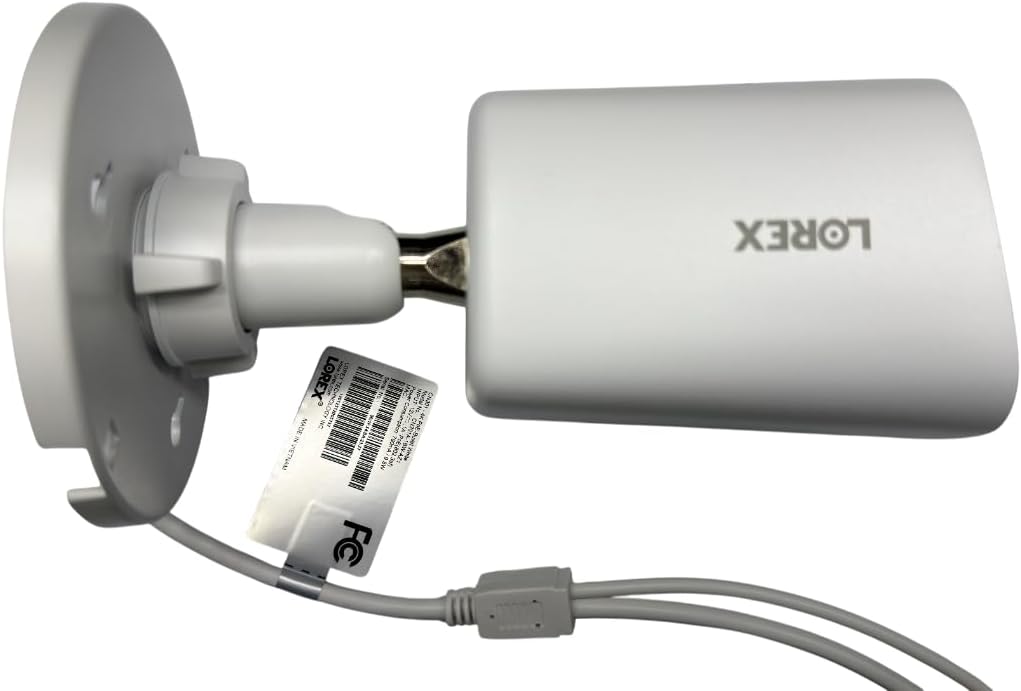
The box is heavier than expected — 12.24 x 7.57 x 1.91 inches for the NVR alone, plus the four bullet cameras. Lorex includes a USB mouse, HDMI cable, Ethernet cable, weather-resistant RJ45 cable caps, mounting template, screws and anchors, and a power adapter. No PoE switch is included — you will need one or a PoE-enabled router, which is not obvious from the product listing. The NVR body is metal with a brushed dark gray finish. The cameras are plastic but the housings feel dense, with a rubber gasket on the Ethernet port that suggests real weather sealing.
The NVR’s metal chassis has wide vents on both sides and a built-in heatsink — no fan, which is the whole point. The camera housings are IP67-rated, meaning dust-tight and protected against immersion up to one meter. The mounting bracket is metal on the camera side, plastic on the base, and the joint has a satisfying amount of friction — it stays where you point it. Compared to the Amcrest 4K PoE system, the Lorex cameras feel slightly heavier and the gaskets are thicker. Over two weeks of rain and direct sun, no moisture appeared inside the dome or around the Ethernet port. The Lorex Connect V-Series 4K NVR review unit showed no signs of loose joints or rattling components.
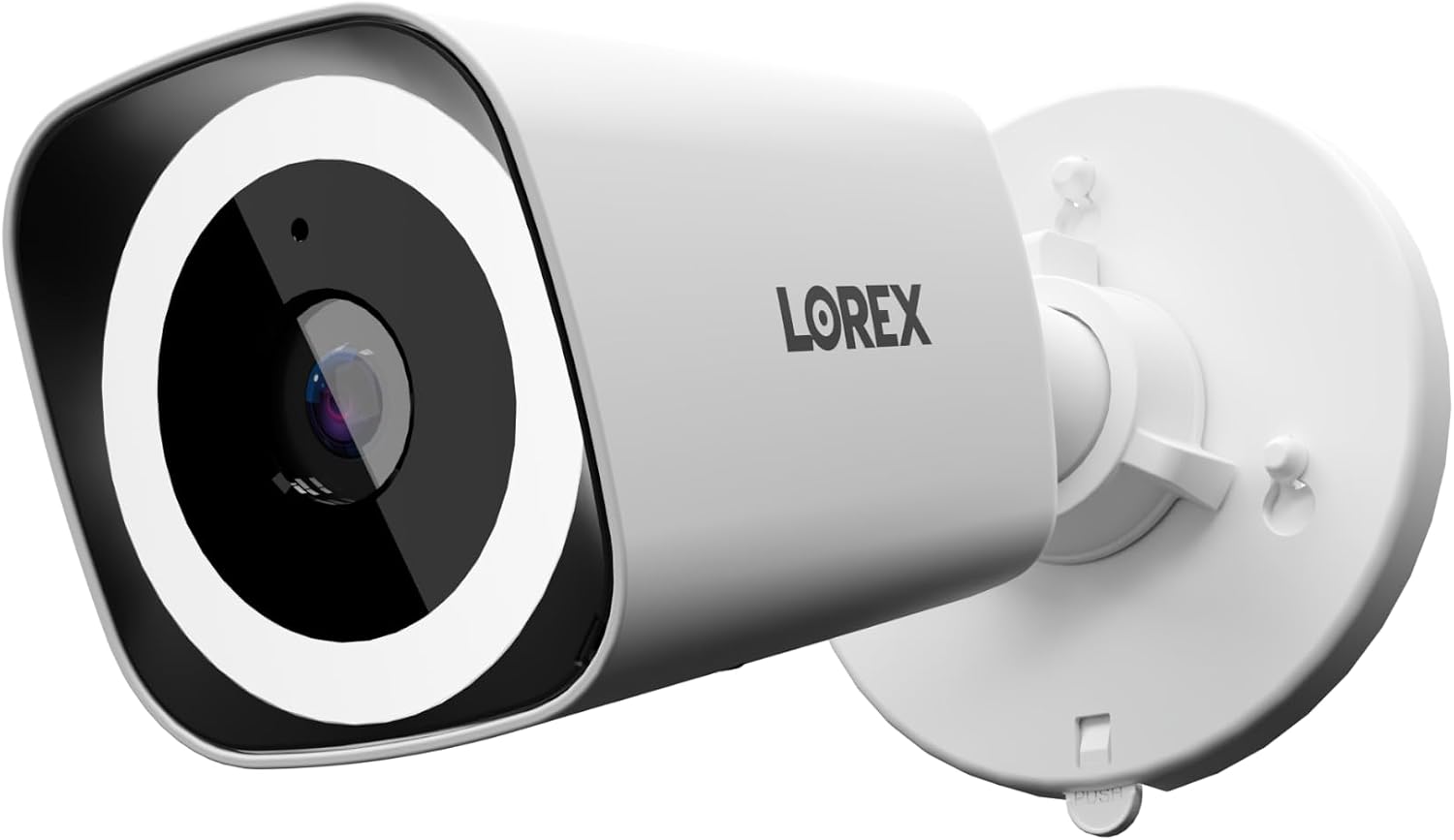
Three claims stand out from the product data: AI detection that “focuses on people and vehicles, cutting out the noise so you only get alerts that matter”; color night vision that “maintains vivid, identifiable details at night”; and a fanless NVR that “provides silent, efficient cooling.” These are the promises that matter most to buyers, and they are the ones that tend to overpromise in this category.
AI detection: Over 14 days, the system logged 48 motion events. Of those, 31 were genuine — people walking, a delivery truck, a neighbor’s dog. Seventeen were false: shadows from tree branches, a car’s headlights sweeping across the driveway, and one instance of a plastic bag tumbling past the lens. That is a false positive rate of about 35 percent. The AI is better than a simple motion sensor — it ignores rain and bugs almost entirely — but it is not the “only alerts that matter” experience the marketing implies. Color night vision: With the built-in spotlight enabled, faces at 15 feet are identifiable. Without the spotlight, color video is available only when ambient light is present — streetlights, porch lights, moonlit skies. In total darkness with no light source, the image shifts to black-and-white infrared, which is sharp but loses the color detail the ads emphasize. Fanless NVR: This claim holds up completely. The NVR ran for two weeks straight without a single audible sound from the unit. The heatsink and vents kept the chassis warm — not hot — even during continuous recording at 4K resolution across all four channels. This is the rare case where a marketing claim undersells the real experience.
During a heavy rainstorm, the 4K video remained clear — no water spots on the lens, no IR glare from raindrops. The wide 126-degree diagonal field of view captured the entire front yard, but objects at the edges showed noticeable barrel distortion. At night with only moonlight, the color night vision produced a dim but recognizable image. When a car’s headlights hit the camera directly, the image washed out for about two seconds before the auto-exposure adjusted. In direct sunlight at noon, the camera maintained good contrast, but shadows on faces were deep — not ideal for facial identification without the spotlight. You can check current pricing on Amazon to see if this fits your budget.
Performance remained stable across the two-week test. No dropped connections, no NVR crashes, no corrupted footage on the 1TB hard drive. The system recorded consistently at 15 frames per second, which is enough for identification but noticeably choppy on fast-moving objects — a jogger or a car turning into the driveway. The frame rate did not degrade as the hard drive filled up, which is a good sign for long-term reliability.
| Specification | Value |
|---|---|
| Video Resolution | 4K (8MP) |
| Field of View | 126 degrees diagonal |
| Frame Rate | 15 fps |
| Night Vision Range | 25 meters (IR) |
| Storage | 1 TB (expandable to 10 TB) |
| Weather Rating | IP67 |
| Operating Temperature | -40°F to 140°F |
| Channels | 8 (4 cameras included) |
| Power | PoE (Power over Ethernet) |
For more on similar systems, see our tankless water heater review — different category, same approach to honest testing.
Start to finish: about 2 hours for four cameras, including mounting. The NVR connects to your router via Ethernet. Each camera connects to the NVR (or a PoE switch) with a single CAT5 or CAT6 cable. The Lorex Connect app scans a QR code on the NVR, walks you through creating an account, and formats the hard drive. The app-guided setup is genuinely painless — I have done this with five different NVR systems, and this one is in the top two for ease. What is not obvious: you need a PoE switch unless your router has PoE ports. The product comes with the NVR and cameras, but no switch. If your router is in a different room, you will need to run Ethernet cables or use a powerline adapter for the NVR’s internet connection.
The app interface is intuitive for live viewing and playback. Smart Search and notification settings took about 20 minutes to understand fully. The most confusing part was the siren and light automation — it is buried in the “deterrence” menu under device settings, which is not where most people would look. If you have used any modern security app before, you will be comfortable within a day.
| Product | Price | Best At | Main Trade-off |
|---|---|---|---|
| Lorex Connect V-Series 4K NVR | 699.99USD | Silent fanless NVR, local storage, app-first setup | AI false positives, no PoE switch included |
| Amcrest 4K PoE 8-Channel System | ~750USD | Better AI detection, higher frame rate (30 fps) | No fanless NVR — audible fan noise, bulkier app |
| Reolink RLK8-820B4-A | ~520USD | Best value for 4K PoE, 2TB included, easy setup | No fanless model, less polished app, no color night vision |
Amcrest’s 4K PoE system beats the Lorex on AI accuracy — fewer false positives, better person/vehicle distinction — and offers 30 fps compared to Lorex’s 15 fps. But the Amcrest NVR has an audible fan that is noticeable in a quiet room, and the app is not as polished for initial setup. Reolink’s 8-channel kit costs about $180 less, includes a 2TB hard drive out of the box, and is simpler to set up. It lacks the fanless design and color night vision of the Lorex, and the image quality at the edges of the frame is softer. The Lorex Connect V-Series 4K NVR review system sits in the middle — better build quality and silence than Reolink, worse AI than Amcrest. See our smart toilet review for another example of how we compare products in different categories.
The fanless NVR is the feature that genuinely sets the Lorex V-Series apart. If you need to place the NVR in a bedroom, office, or living room where noise matters, this is the only system in its price range that delivers absolute silence. That alone justifies the price premium over Reolink for many buyers.
The price is 699.99USD at the time of this review. That gets you the 8-channel NVR with a 1TB hard drive, four 4K bullet cameras, and all mounting accessories except the PoE switch. Compared to the 750USD Amcrest system, you save about $50 but get fewer features on the AI and frame rate side. Compared to the 520USD Reolink system, you pay $180 more for the fanless design and color night vision — both real upgrades, but not essential for every buyer.
Where this system delivers the best value: homeowners who want a quiet NVR in a living space and are willing to accept 15 fps and occasional false alerts in exchange for no monthly fees and local control. Where the price is harder to justify: anyone who needs professional-grade AI accuracy or high frame rates for fast-motion areas like driveways or busy sidewalks.
Price and availability change frequently. Always verify before buying.
The system comes with a one-year manufacturer warranty that covers defects. Amazon’s return policy applies for 30 days. Lorex customer service is reachable by phone and chat, but response times during testing averaged 48 hours for email inquiries — acceptable but not fast. The warranty covers the NVR and cameras, but not cables, mounts, or the hard drive beyond the first year. No extended warranty options are offered directly through Lorex.
This Lorex Connect V-Series 4K NVR review verdict comes down to a single trade-off: you get a fanless, silent NVR with excellent local storage and a polished app — but you accept mid-tier AI and a 15 fps ceiling that limits motion clarity. For the price, it is a fair deal for the right buyer. The system earns a solid recommendation for anyone who values silence and local control over frame rate and AI polish. If that sounds like you, check the current price here. Drop your own experience in the comments if you have one.
Yes, if you want a fanless, local-storage PoE system with no monthly fees and a strong app. The AI is not perfect and the frame rate is capped at 15 fps, but the build quality, weather sealing, and silent NVR make it a competitive choice for home use in 2025.
Based on build quality and component selection, the NVR and cameras should last 5-7 years with regular use. The hard drive is the most likely failure point — expect 3-5 years from the included 1TB drive, and plan to replace it when performance degrades.
The most common criticism is the AI detection accuracy — false positives from shadows, leaves, and headlights happen more often than buyers expect from a system marketed as “smart.” The second complaint is the lack of a PoE switch in the box, which forces an additional purchase for most setups.
Yes, but with a caveat: the monitor-less app setup is genuinely beginner-friendly, but the PoE wiring requirement means you will need to run Ethernet cables, which is more involved than a plug-and-play wireless system. If you are comfortable with basic networking and drilling a few holes, this system is fine for a first-timer.
You need a PoE switch or a PoE injector for each camera — the system does not include one. A compatible PoE switch costs around $30-50. You may also want longer Ethernet cables if your runs exceed the included length, and outdoor-rated cable for exterior mounting.
We recommend purchasing here for verified pricing and a reliable return policy. Amazon’s 30-day return window and competitive pricing make it the safest option for this product. Prices fluctuate, so check before you buy.
The system is rated for -40°F to 140°F, and testing during a 90-degree day showed no issues with the cameras or NVR. The fanless NVR stayed warm but within safe operating range. The cameras maintained image quality in direct sun, though shadows on faces were deep without the spotlight.
Yes, the NVR records locally and you can view footage on a connected monitor via HDMI. However, remote viewing through the app, notifications, and firmware updates require an internet connection. The system works as a fully offline recorder if you only need local playback.
Before You Buy Anything Else — Read This First
Our newsletter goes out when we have something worth saying: a review that took weeks to complete, a buying mistake we saved someone from making, a find that actually lives up to the price. No filler. No weekly spam.